

Transaction History
Learn how to use Dialcash's transaction history to review, filter, and find movements quickly and organized.
What is Transaction History?
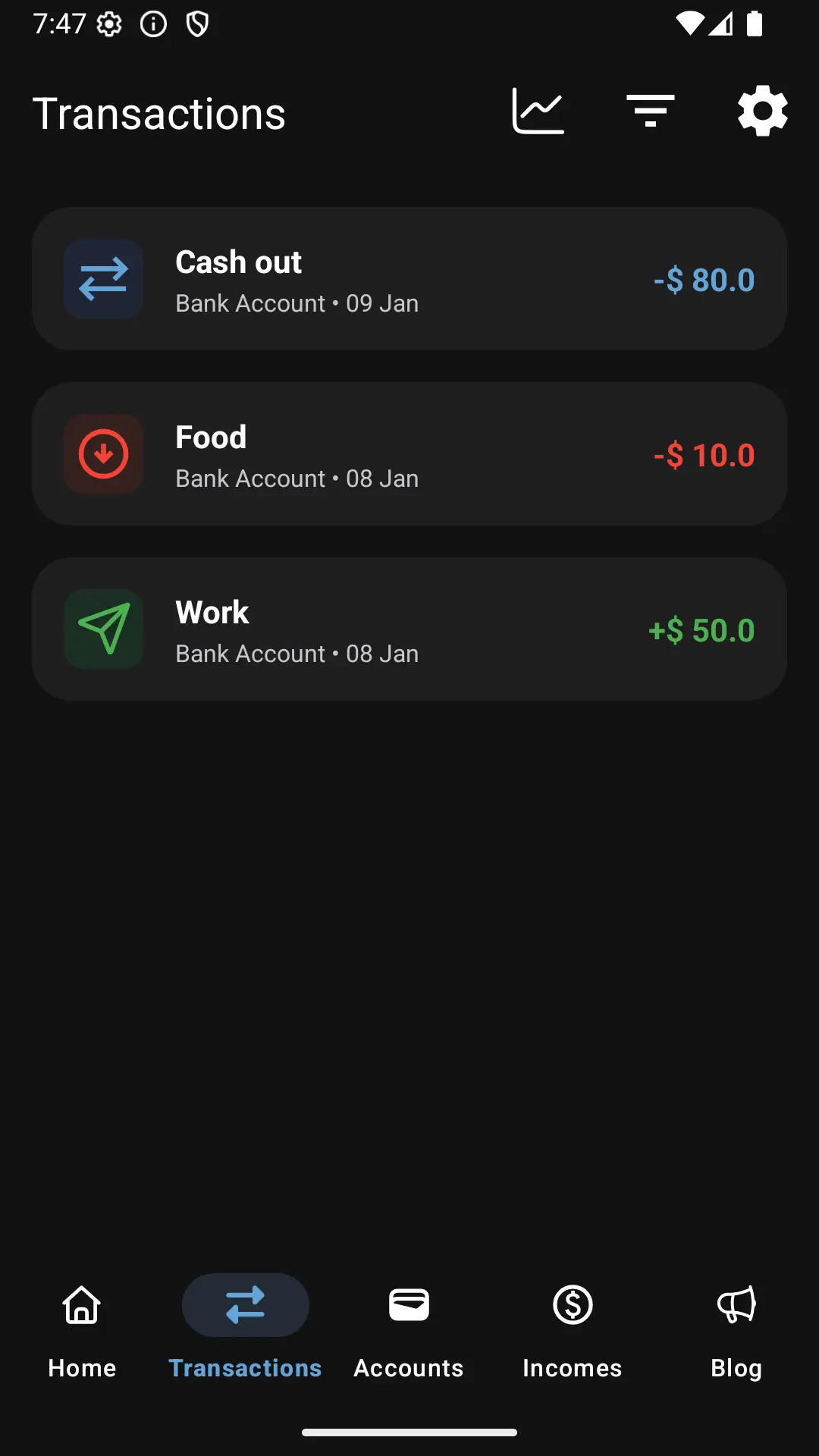
The transaction history gathers all the movements you’ve recorded in Dialcash. It’s the place where you can review what happened with your money, when, and from which account.
Every registered transaction is stored here.
Transaction Order
Transactions are displayed:
- Sorted by most recent first
- Showing essential information at a glance
This allows you to quickly see your latest movements without searching too much.
Accessing Details from History
From the history you can:
- Tap any transaction
- View its complete information
- Edit or delete it if necessary
The history isn’t just informative, it’s also interactive.
Filters to Find Transactions
When you have many movements, filters help you find what you’re looking for without wasting time.
You can filter transactions by:
- Type (expense, income, or transfer)
- Account
- Search by description or name
- Date range
This is ideal for:
- Reviewing specific expenses
- Finding a particular payment
- Analyzing a specific period
Practical Use of Filters
Common examples:
- View only expenses from a specific account
- Search for income from a particular month
- Review a specific category
With filters, the history stops being a long list and becomes a useful tool.
History as a Review Tool
Reviewing your history allows you to:
- Detect unnecessary expenses
- See consumption patterns
- Confirm that everything is correct
It’s not about judging, but about understanding.
Best Practices
- Review your history frequently
- Use filters instead of searching manually
- Correct errors as soon as you detect them
A well-used history improves your financial control.
Summary
- All your transactions live in the history
- They’re sorted by date
- Filters help you find what you need
The history is Dialcash’s financial memory.
Visual Guide
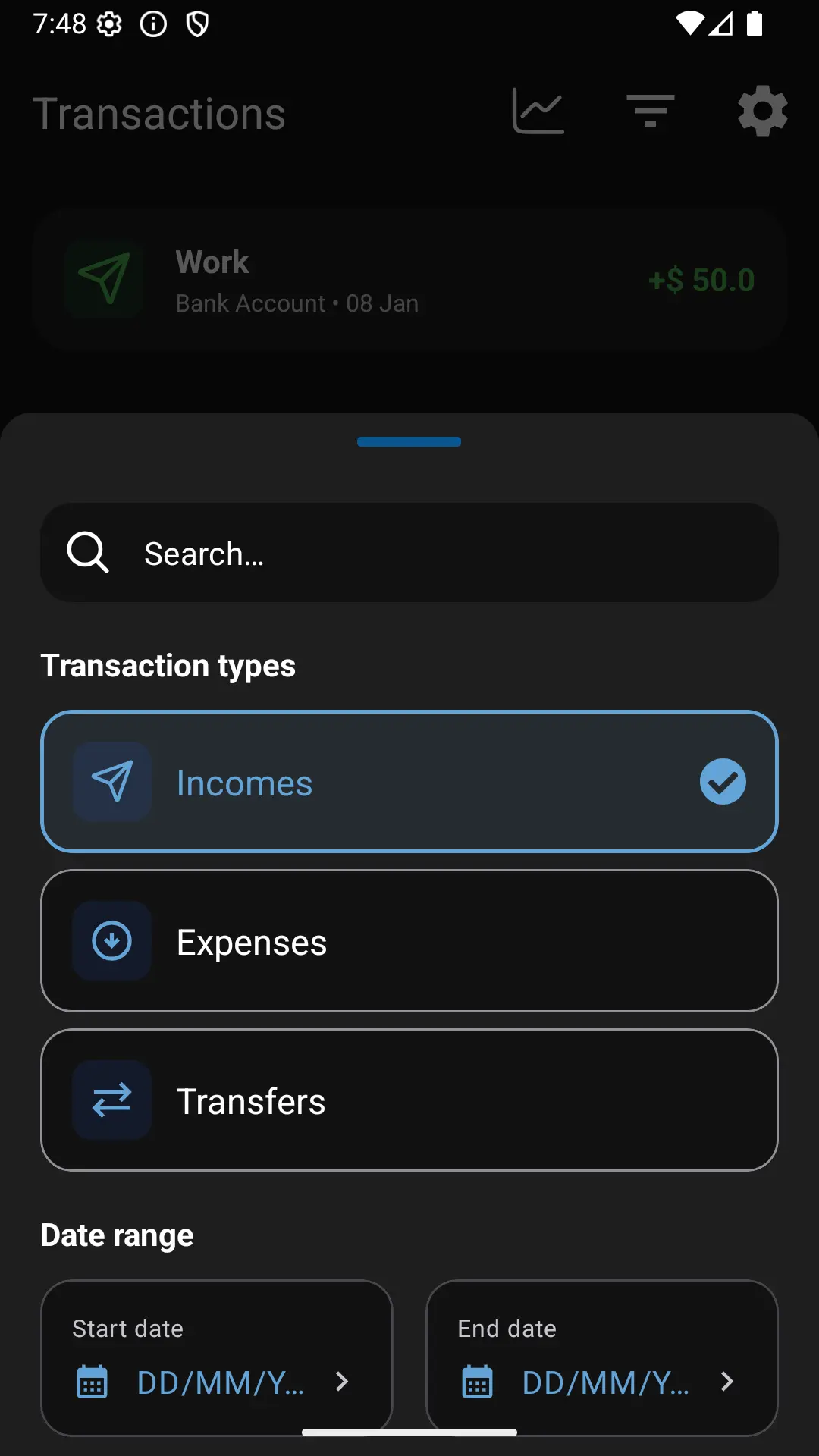
Transactions list with filters shown