

Creating an Account
Learn how to create an account in Dialcash, choose its type correctly, and understand how it affects your budget.
What is an Account in Dialcash?
An account represents a place where you keep or manage your money. It’s not a bank itself, but a way to organize your money within the app.
Examples of accounts:
- Cash
- Bank account
- Digital wallet
- Savings
Each account has its own balance and movements.
When to Create an Account?
Create an account when:
- You manage money in a different place
- You want to separate expenses or goals
- You need more clarity about your money
It’s not mandatory to create many accounts. More accounts ≠ better control.
How to Create an Account
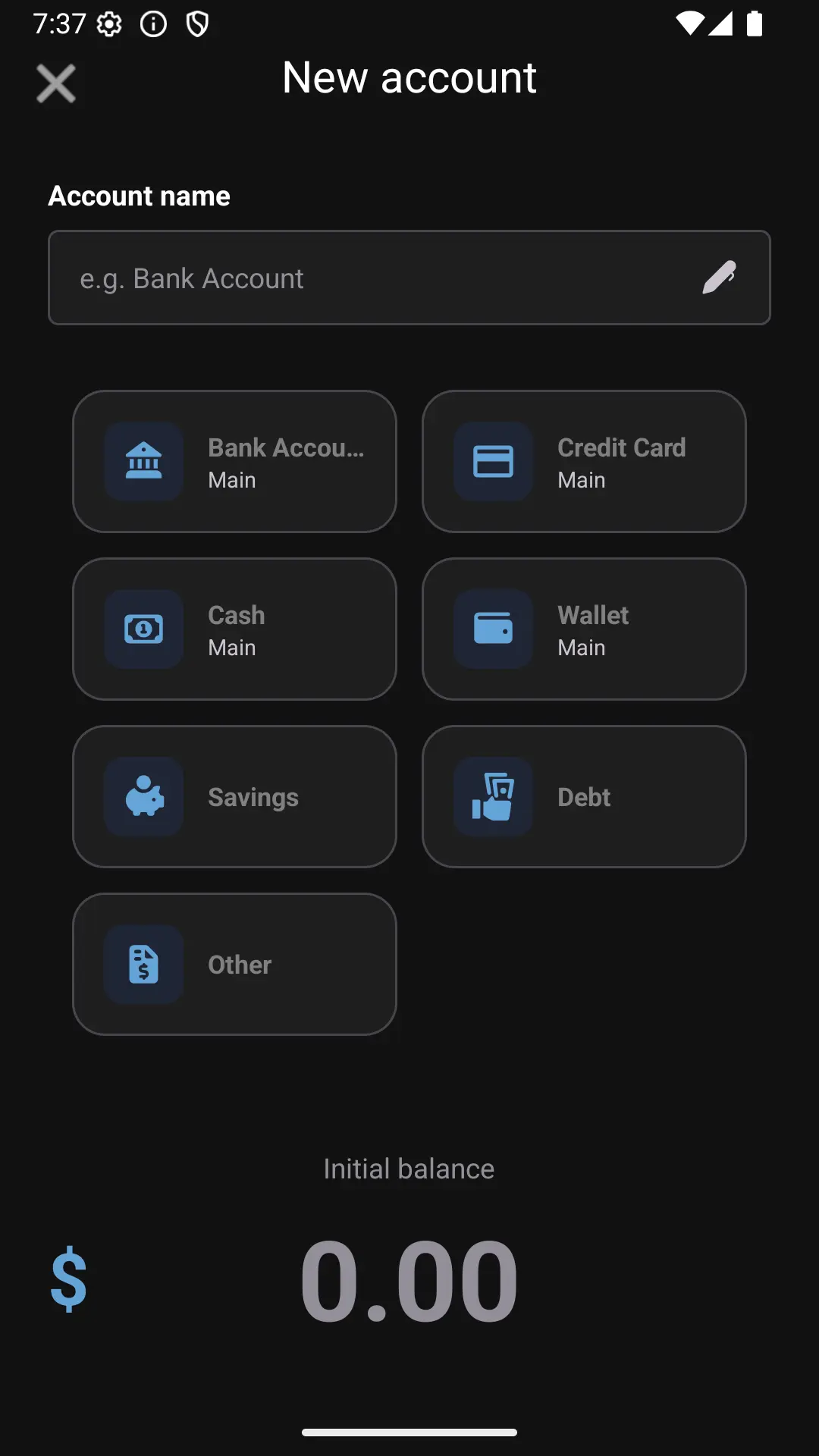
When creating an account, Dialcash will ask for some basic information:
🏷️ Account Name
A clear name to identify it easily.
Examples:
- Cash
- Main bank
- Savings
🧾 Account Type
The type helps classify the account according to its use.
Some common types:
- Cash
- Bank
- Digital wallet
- Savings
Choosing the right type makes organization and analysis easier.
💰 Initial Balance
The money the account starts with. This allows your information to be correct from the beginning.
Important Note About Main Accounts
When creating an account, you can mark it as a main account.
A main account:
- Is considered available money
- Adds to the general budget
- Affects the balance shown on the main screen
Common examples:
- Cash → main ✅
- Main bank account → main ✅
- Savings → usually not main ❌
You can change this option later if your situation changes.
After Creating an Account
Once created:
- The account appears in your account list
- Its balance is used in transactions
- It can affect your budget depending on its configuration
There are no permanent or irreversible settings.
Best Practices
- Use clear names
- Mark as main only available money
- Review your accounts from time to time
A good account structure makes everything else work better.
Summary
- Accounts organize your money
- Each account has its own balance
- Main accounts influence the budget
Creating your accounts properly is the first step to clear financial control.
Visual Guide
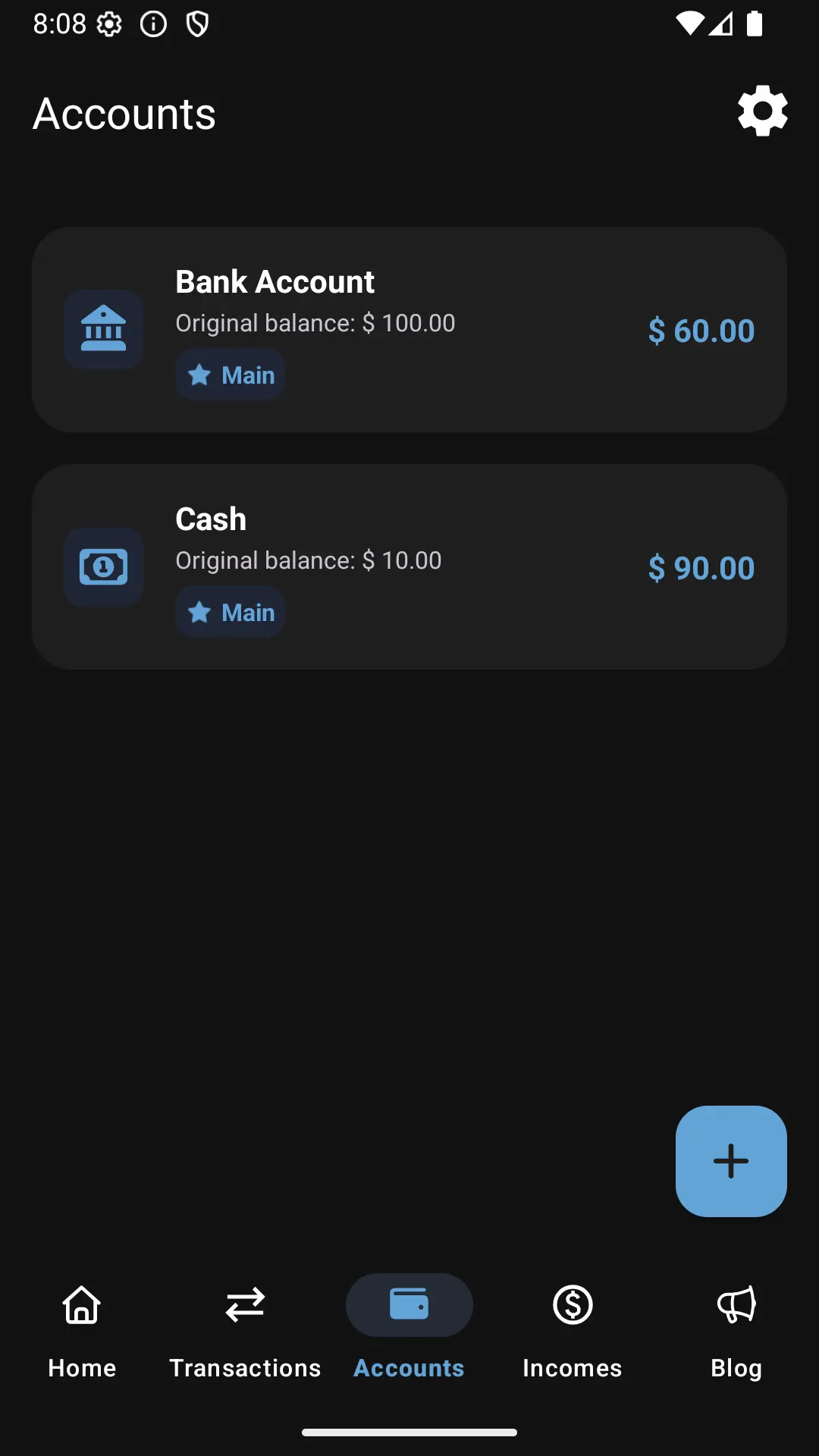
Viewing the list of accounts