

Income Groups - Track Specific Income
Learn how to use income groups to track specific income sources and see how much of that money you still have available.
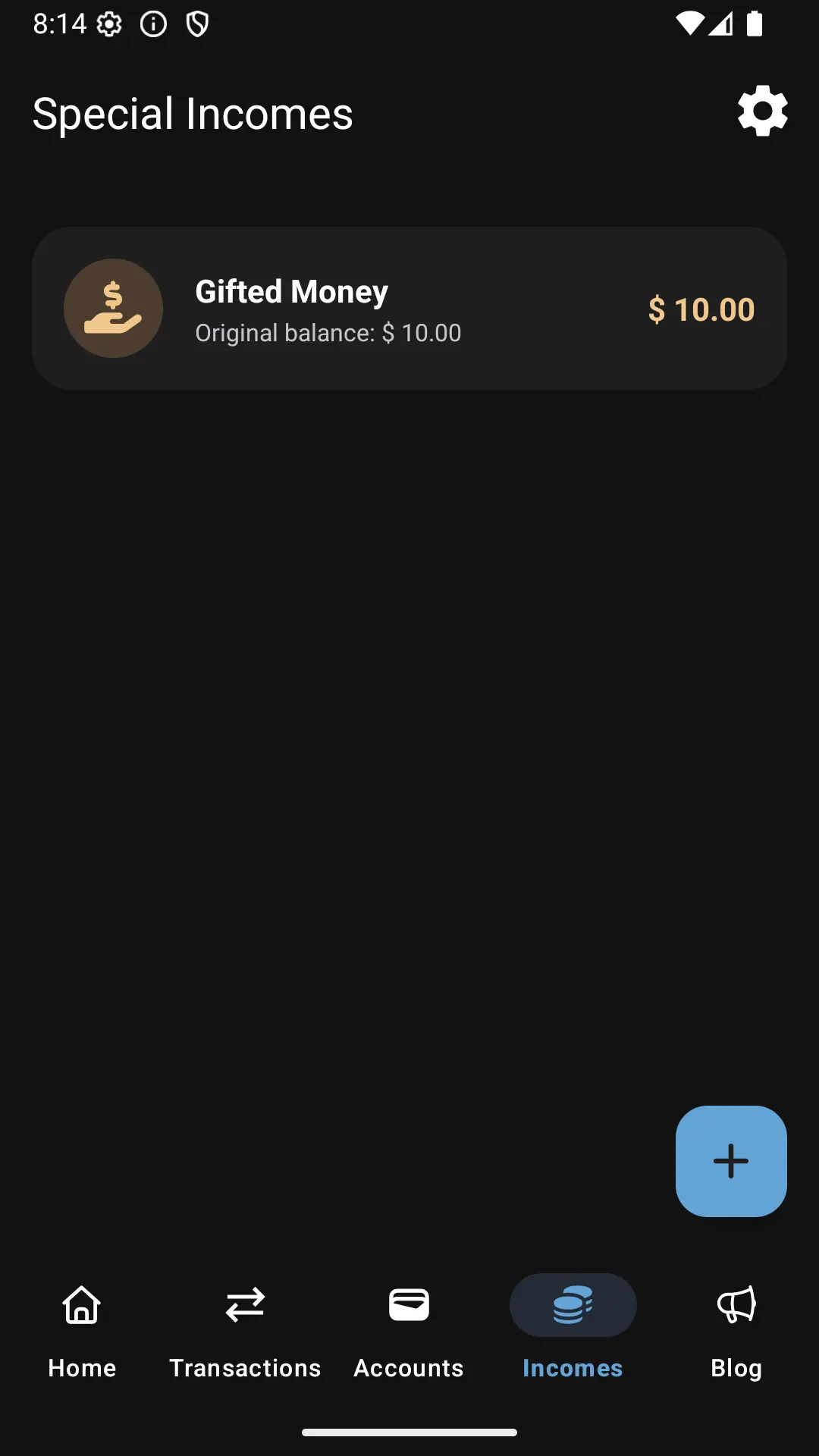
What is an Income Group?
An income group is a special income source that you want to track separately from your general budget.
It’s not a category or an expense. It’s a way to tell Dialcash:
“This money came from here, and I want to know how much is left after spending.”
Common examples:
- Monthly salary
- Bonus payment
- Freelance project payment
- Gift money
- Tax refund
Why Use Income Groups?
Income groups help you answer important questions:
- “How much of my bonus is left?”
- “Did I already spend all the freelance payment?”
- “Where did that specific income go?”
Without income groups, all money blends together in your budget. With them, you get focused tracking on specific income sources.
Creating an Income Group
To create an income group, you must first record an income transaction.
Step 1: Record the Income
- Go to New Transaction
- Select Income
- Enter the amount received
- Choose the account
- Add a description (optional)
- Save the transaction
Step 2: Create the Income Group
- Navigate to Income Groups section
- Tap Create New Income Group
- Give it a descriptive name (e.g., “January Salary”, “Client XYZ Payment”)
- Select or enter the amount
- Save the income group
That income:
- Adds to your general budget (if it’s in a main account)
- Becomes available as a trackable income group
Associating Expenses with Income Groups
When you make a purchase, you can link it to an income group.
How to Link an Expense
- Go to New Transaction
- Select Expense
- Enter the amount
- Choose the account
- In the Income Group option, select an existing group
- Save the expense
This tells Dialcash that this expense came from that specific income source.
Tracking Remaining Balance
Each income group shows:
- Initial amount: The original income received
- Remaining balance: Money still available from that source
- Spent amount: Total expenses linked to this income
This allows you to quickly see:
- “How much of this money do I still have?”
- “Have I already spent this entire income?”
No manual calculations needed.
Relationship with General Budget
It’s important to understand:
- Income groups don’t replace your budget
- The money is still part of your total balance
- Income groups add an extra layer of tracking
Think of them as a magnifying glass over a specific income source.
The general budget shows your total available money. Income groups show how specific money is being used.
When to Use Income Groups
Income groups are ideal when:
- You receive one-time or irregular income
- You want to avoid overspending specific money
- You need to justify how certain funds were used
- You’re saving income for a specific purpose
- You want to separate different income streams
If you don’t need that level of detail, you can continue using Dialcash normally without income groups.
Best Practices
Do’s ✅
- Use descriptive names
- Create groups for significant income
- Review remaining balances regularly
- Link related expenses consistently
Don’ts ❌
- Don’t create groups for every small income
- Don’t mix multiple income sources in one group
- Don’t forget to link expenses when relevant
Common Use Cases
Freelancer Tracking
Create an income group for each client payment to see project profitability.
Bonus Management
Track how you spend your annual bonus separately from regular salary.
Gift Money
Monitor how you use money received as gifts without mixing it with regular income.
Side Income
Keep side hustle income separate from your main job earnings.
Quick Summary
- An income group tracks a specific income source
- Created after recording an income transaction
- Used when recording related expenses
- Shows how much money remains from that source
- Doesn’t affect your general budget calculation
- Provides focused visibility on specific money
Income groups are optional but powerful for detailed financial tracking.
Visual Guide
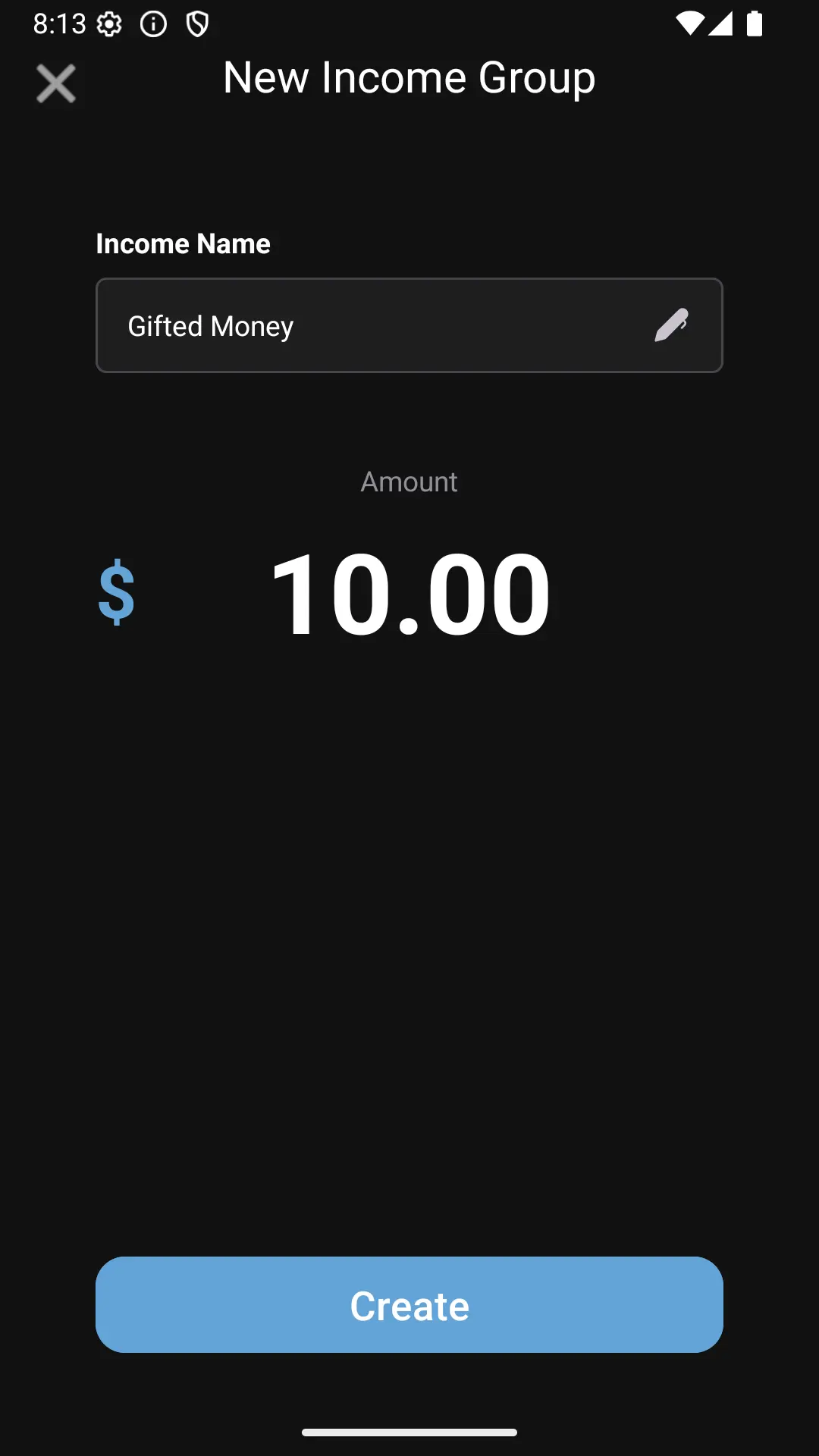
Creating a new income group
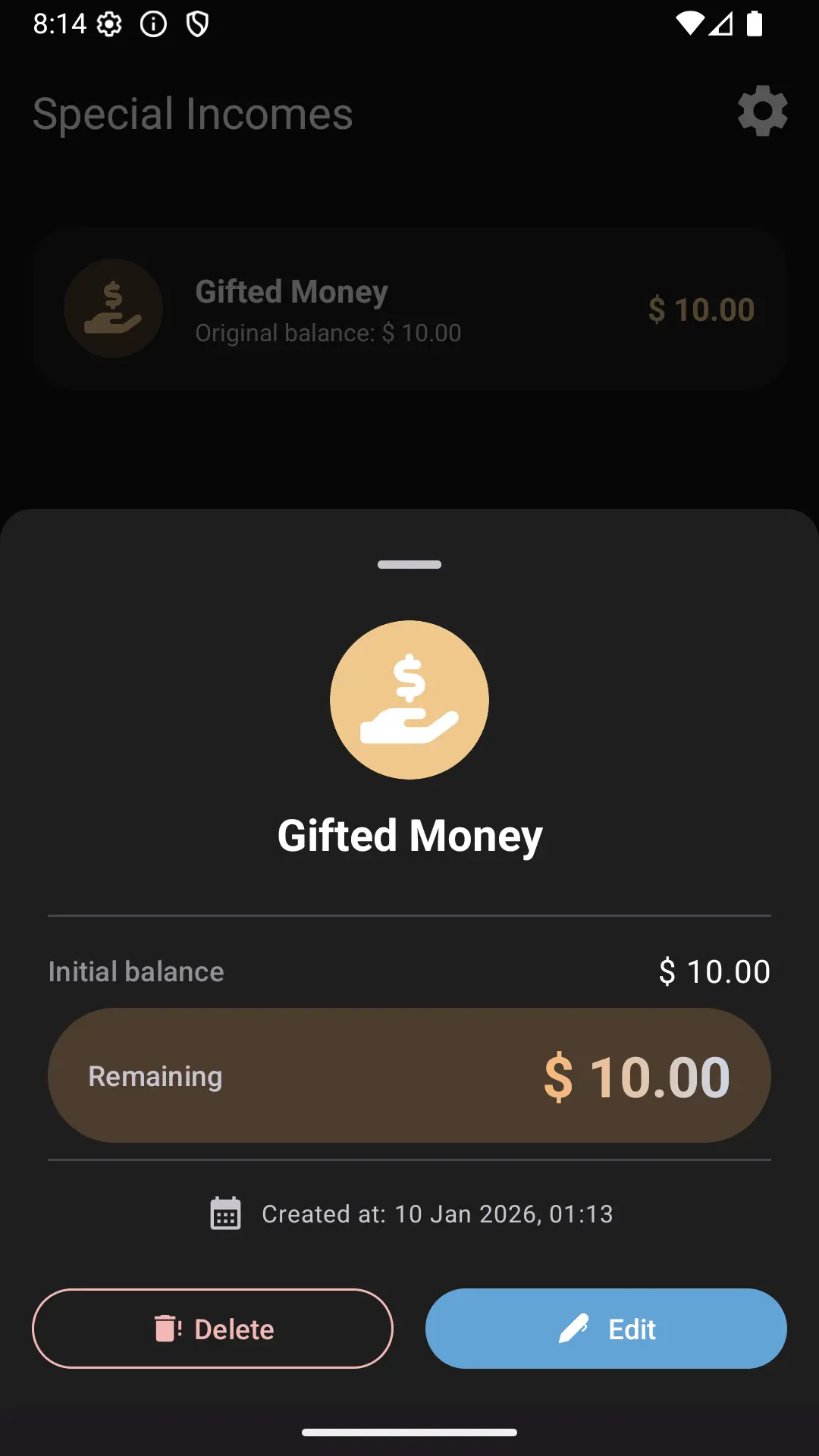
Viewing income group details