

Edit or Delete an Account
Learn how to view, edit, or delete an account in Dialcash and what happens to your movements and budget when doing so.
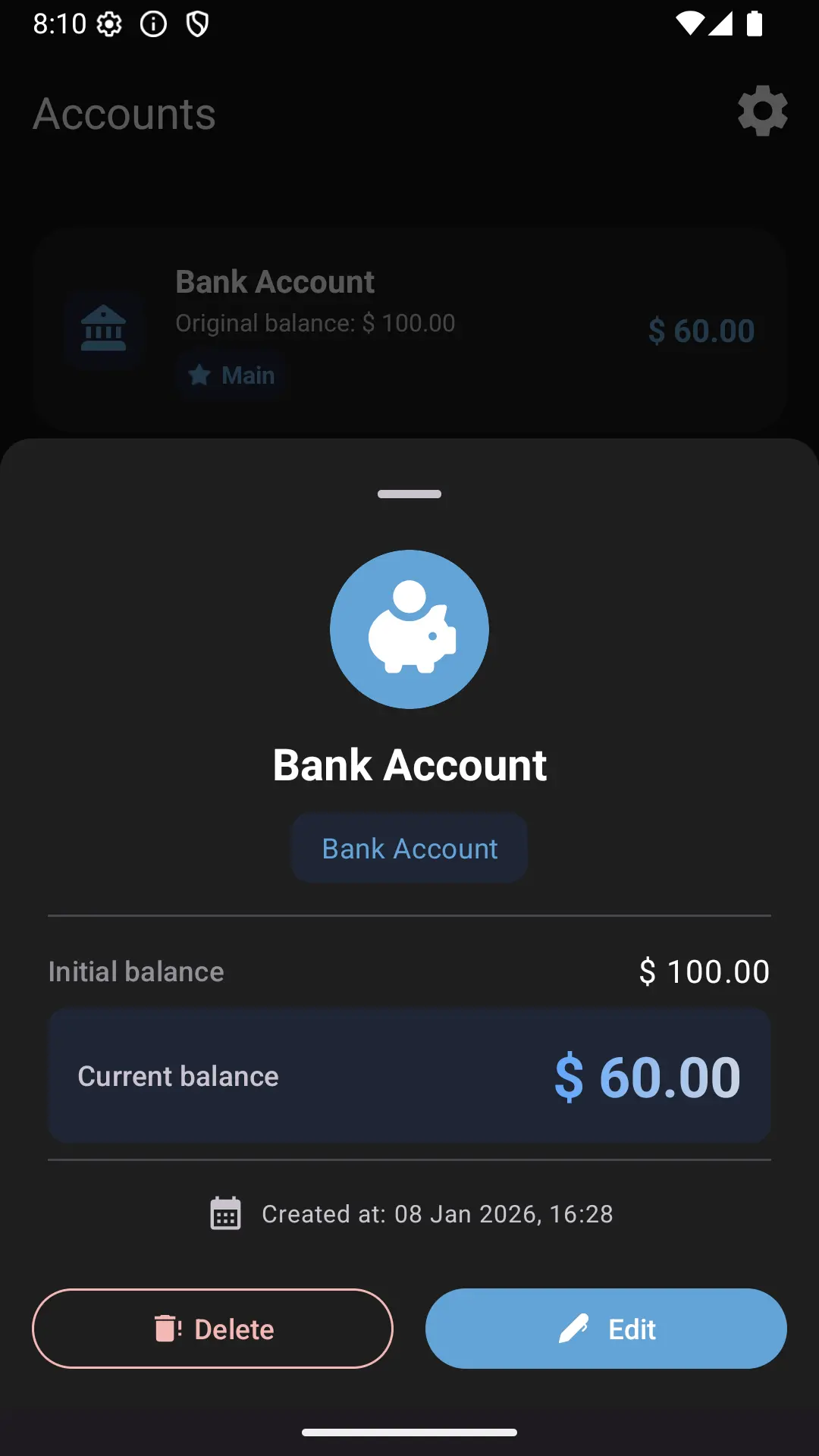
Accessing Account Details
In Dialcash, all your accounts are accessible from the accounts section.
To view an account:
- Tap an account in the accounts list
- A view will open with its information and balance
From this view you can review and manage the account.
Available Information in an Account
When entering an account’s details you can see:
- Account name
- Account type
- Current balance
This allows you to understand the role of that account within your budget.
Editing an Account
Editing an account is useful when:
- You want to change the name
- You need to adjust the account type
- You decide to change its main or non-main account status
When editing an account:
- The budget updates if its main account status changes
- Associated transactions remain intact
No information is lost when editing.
Deleting an Account
Deleting an account is recommended when:
- You no longer use it
- It was created by mistake
- You want to simplify your organization
Before deleting an account, keep in mind:
- The account must be empty or without transactions
- The balance adjusts automatically
This prevents inconsistencies in your history.
Edit or Delete?
A simple rule:
- ✏️ Information change → Edit
- ❌ Unnecessary account → Delete
Both actions are designed to keep your information clean.
Changes Reflected Automatically
Any change to an account:
- Reflects in the budget
- Adjusts corresponding balances
- Changes or removes associated transactions
- Doesn’t affect other accounts
Dialcash takes care of the rest.
Best Practices
- Review your accounts periodically
- Delete the ones you don’t use
- Keep only the necessary ones
Fewer accounts, more clarity.
Summary
- You can edit or delete accounts at any time
- Changes are safe and controlled
- The budget adjusts according to configuration
Managing your accounts is an essential part of financial control.
Visual Guide
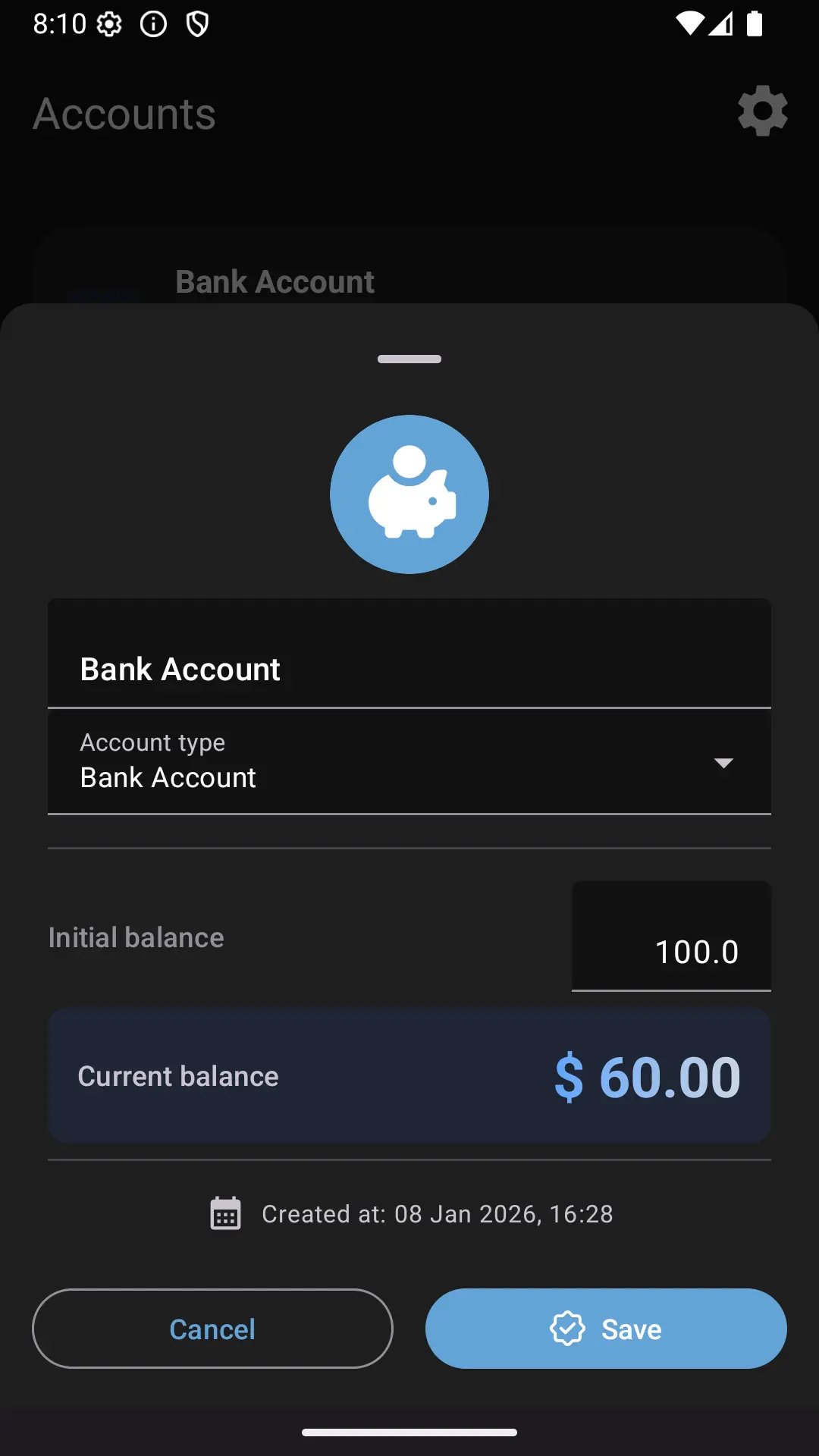
Editing an account
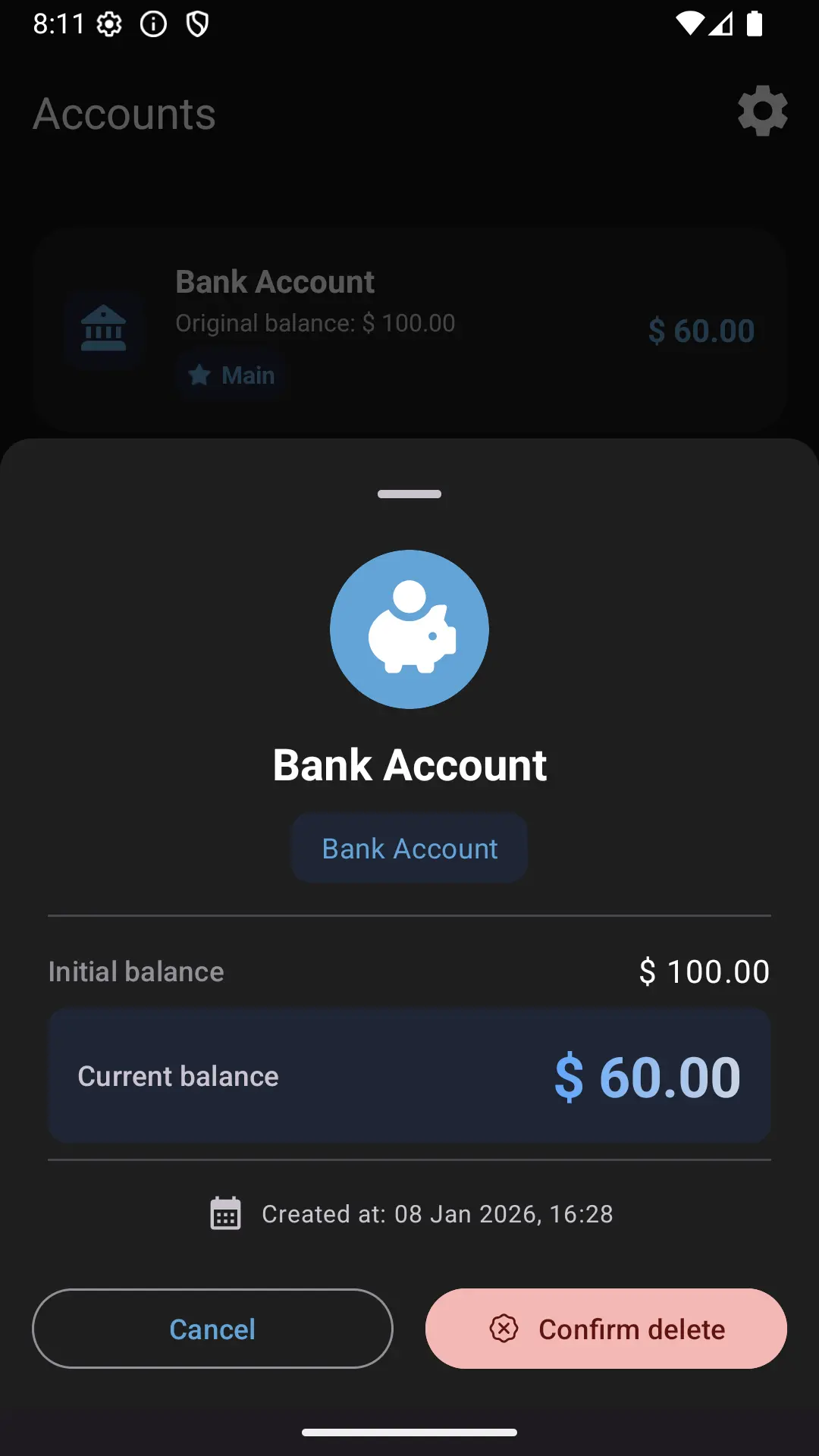
Confirming deletion of an account