

Checking Budget by Date - Historical View
Learn how to check your available budget and see the exact transactions made on any specific date in the past.
Why Check a Past Budget?
Sometimes you need to look back and understand your financial situation on a specific day.
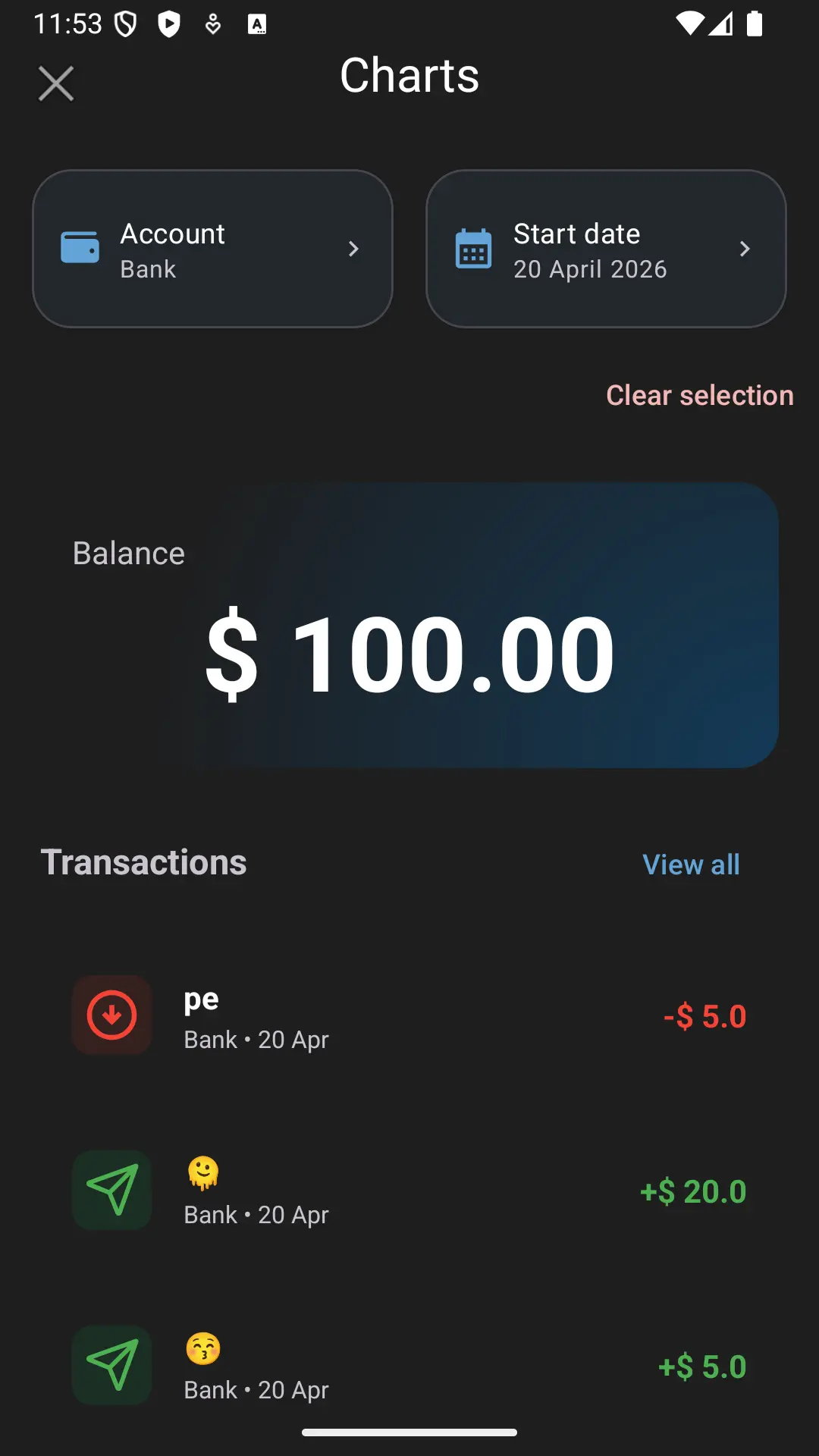
Instead of manually calculating your past balance by subtracting recent expenses, Dialcash allows you to travel back in time to see exactly how much money you had available on any given date, along with the transactions that occurred that day.
Common reasons to check past budgets:
- Remembering how much money you had before a big purchase
- Verifying your balance at the end of a specific month
- Reviewing your financial activity on a particular day
How to Check Your Budget on a Specific Date
To view your historical budget, you will use the Charts section within the Transactions module.
Step-by-step Guide
- Navigate to the Transactions module in the bottom navigation bar.
- Tap the Charts icon (located at the top of the screen) to view your transaction charts.
- Scroll all the way down to the bottom of the Charts view.
- You will find a section dedicated to searching your budget by date.
- Select the Account you want to check.
- Select the specific Date you want to look up.
What You Will See
Once you apply the parameters, Dialcash will display:
- The exact budget/balance you had on that specific date for the selected account.
- A list of transactions (incomes, expenses, or transfers) that were recorded exactly on that same day.
This gives you a complete picture of your financial state on that specific moment in time.
Important Considerations
- Account Selection: Make sure to select the correct account. If you want a general overview, check your main accounts individually.
- Transaction Timestamps: The results will only include transactions that have their date set exactly to the date you are searching for.
- Current Balance Unchanged: Viewing a past budget is completely safe and does not affect your current balance or ongoing budgets. It’s strictly a read-only historical view.
Quick Summary
- The feature is located at the bottom of the Charts view in the Transactions module.
- It requires two inputs: an Account and a Date.
- It displays your budget for that day alongside the transactions executed on that same date.
- Perfect for historical financial reviews without doing manual math.
Visual Guide
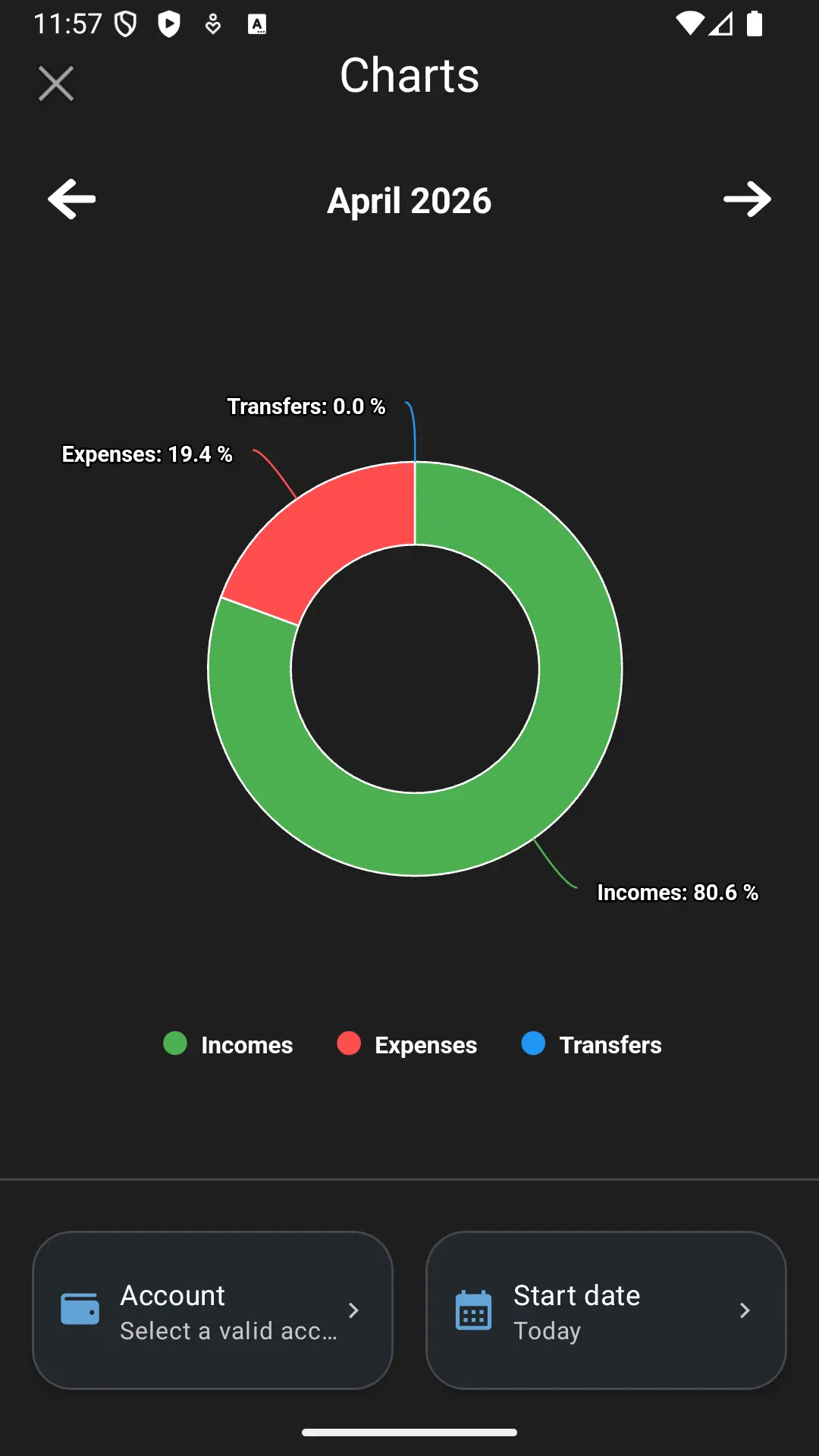
Select an account and date to check the budget for that specific day