

Dialcash v1.2.0 – Charts Overhaul & Historical Balances
A complete revamp of the Analytics experience with modern interactive charts, historical balance queries, and advanced filtering capabilities.
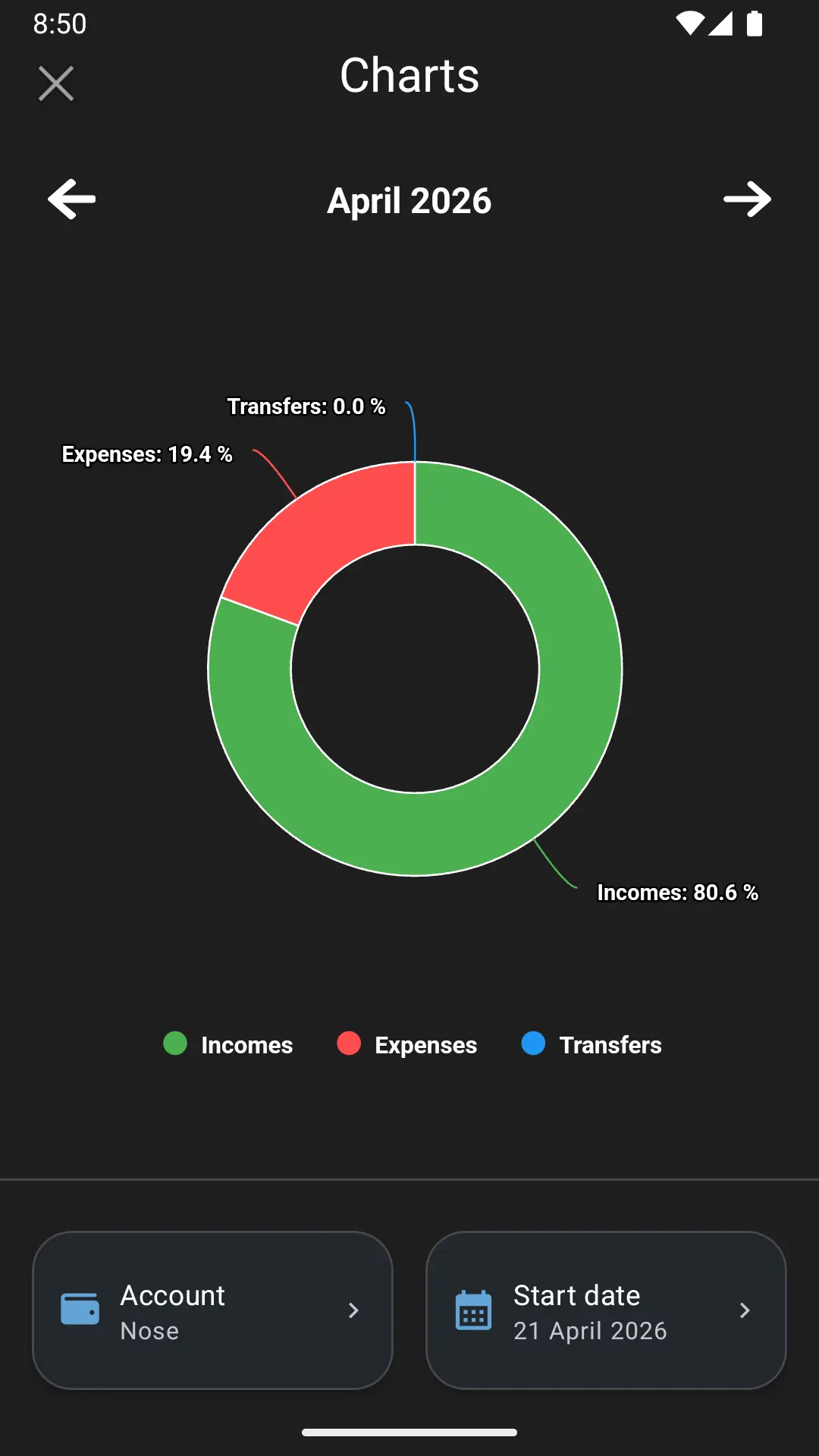
We’re thrilled to announce Dialcash v1.2.0, a major update that completely transforms the Analytics & Charts experience. This release introduces modern charting technology, powerful historical data queries, and critical improvements to balance calculations.
🚀 What’s New in v1.2.0
✨ New Features & Enhancements
Modern Charts Integration
We’ve migrated to AAChartCore for beautifully animated and interactive charts. Your analytics now feature:
- Smooth pie charts with elegant animations
- Interactive touch interactions
- Real-time data visualization
- Professional visual design
Historical Balance View
One of our most requested features is now here. You can now query specific past dates to see exactly what your balance was at the end of that day. This is perfect for:
- Reconciling accounts with your bank statements
- Tracking financial progress over time
- Auditing specific transactions
- Understanding your financial history
Advanced Chart Filtering
Take full control of your data with our new filtering system:
- Account Selection: Choose which account to analyze via a new elegant Bottom Sheet
- Date Selection: Pick any specific date to view historical data
- Combined Filtering: Use both filters together for precise data analysis
- Instant Reset: One-tap button to quickly revert to the current state
Clear Search Functionality
Easily manage your filter selections with our new immediate action button. Reset your date and account selections instantly to return to the current visual state without navigating through menus.
🎨 UI & UX Improvements
Redesigned Charts Screen
The entire Charts interface has been reimagined with:
- Material Design 3 cards for filter selections
- Clean, intuitive layout
- Better visual hierarchy
- Improved accessibility
Smart Empty States
We’ve improved error handling with:
- Clear messaging when no transactions exist on selected dates
- Helpful guidance for users with empty data
- Graceful degradation of the UI
Seamless Navigation
The “View All Transactions” feature now:
- Takes you directly to the relevant transactions
- Remembers your exact position in the workflow
- Maintains context as you navigate between screens
🐛 Critical Bug Fixes
Accurate Historical Calculations
We fixed a core SQL calculation bug in AccountDao that was affecting historical balances:
- ✅ Internal transfers (sent and received) now properly calculated
- ✅ Income and expense transactions correctly accounted for
- ✅ Historical balances now 100% accurate
- ✅ Better reconciliation with actual account states
Filter Reset Issues
Fixed an issue where the UI wouldn’t properly update chart and balance figures after resetting filters. Your data is now always in sync.
📊 Example Use Cases
With v1.2.0, you can now:
- Monthly Review: Check your balance on the last day of each month to track financial progress
- Tax Preparation: Query specific date ranges to verify transaction records
- Account Reconciliation: Compare your app balance with bank statements by date
- Spending Analysis: Filter expenses by account to understand where your money goes
- Transfer Verification: View internal transfer history with accurate balance calculations
📦 Under the Hood
- AAChartCore Integration: Advanced chart rendering library for superior performance
- Improved Database Queries: Optimized SQL calculations for faster data retrieval
- Version Bump: Updated to versionName 1.2.0
📥 How to Update
Visit your app store to download Dialcash v1.2.0 today. The update includes:
- ✅ All new features described above
- ✅ Performance improvements
- ✅ Bug fixes and stability enhancements
Have feedback? We’d love to hear from you! Visit our GitHub repository to report issues or suggest features.
Thank you for being part of the Dialcash journey. Your support drives us to keep improving. Happy tracking! 💰